Interior
Soft Panel Window Interior Balance
Lighting setup
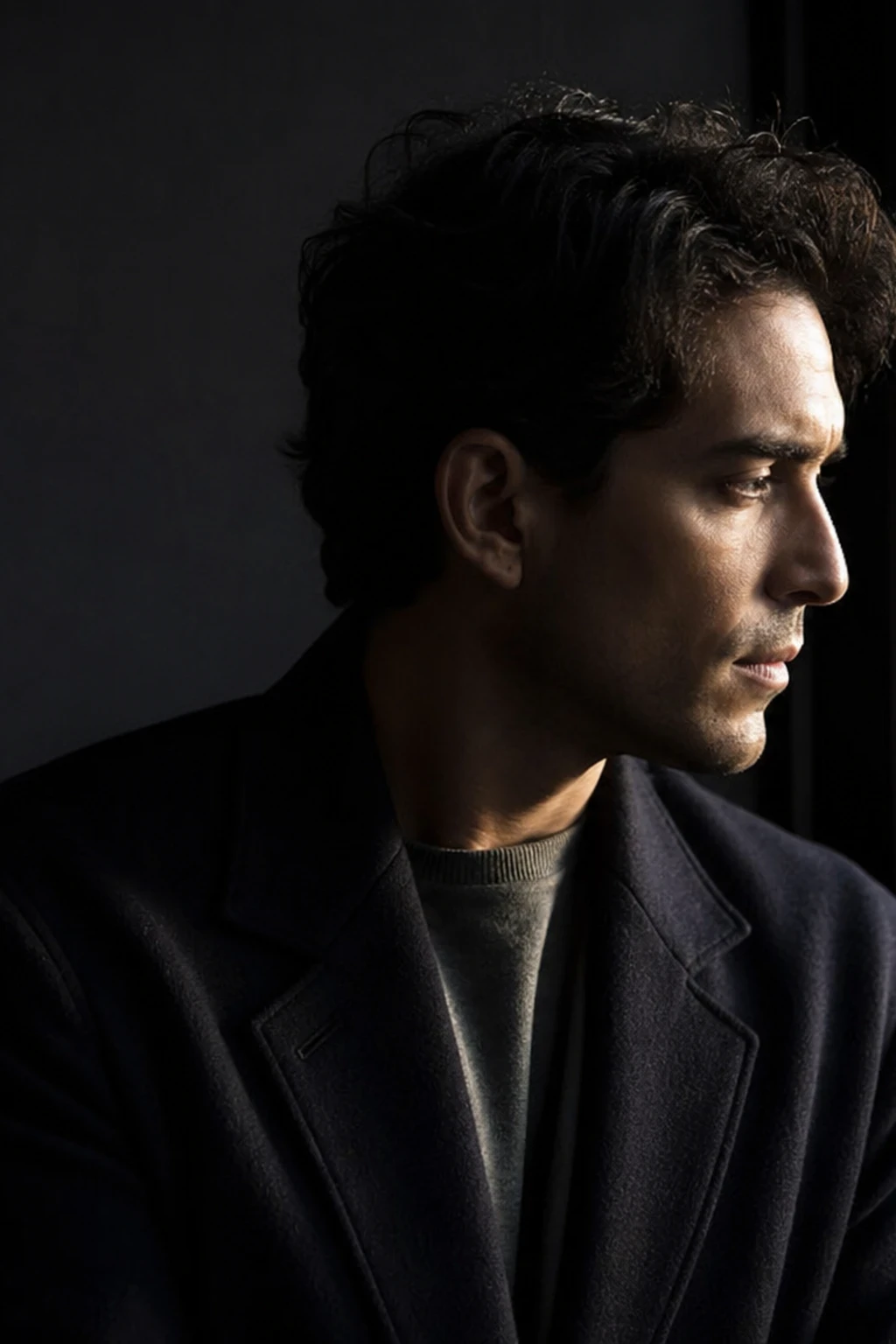
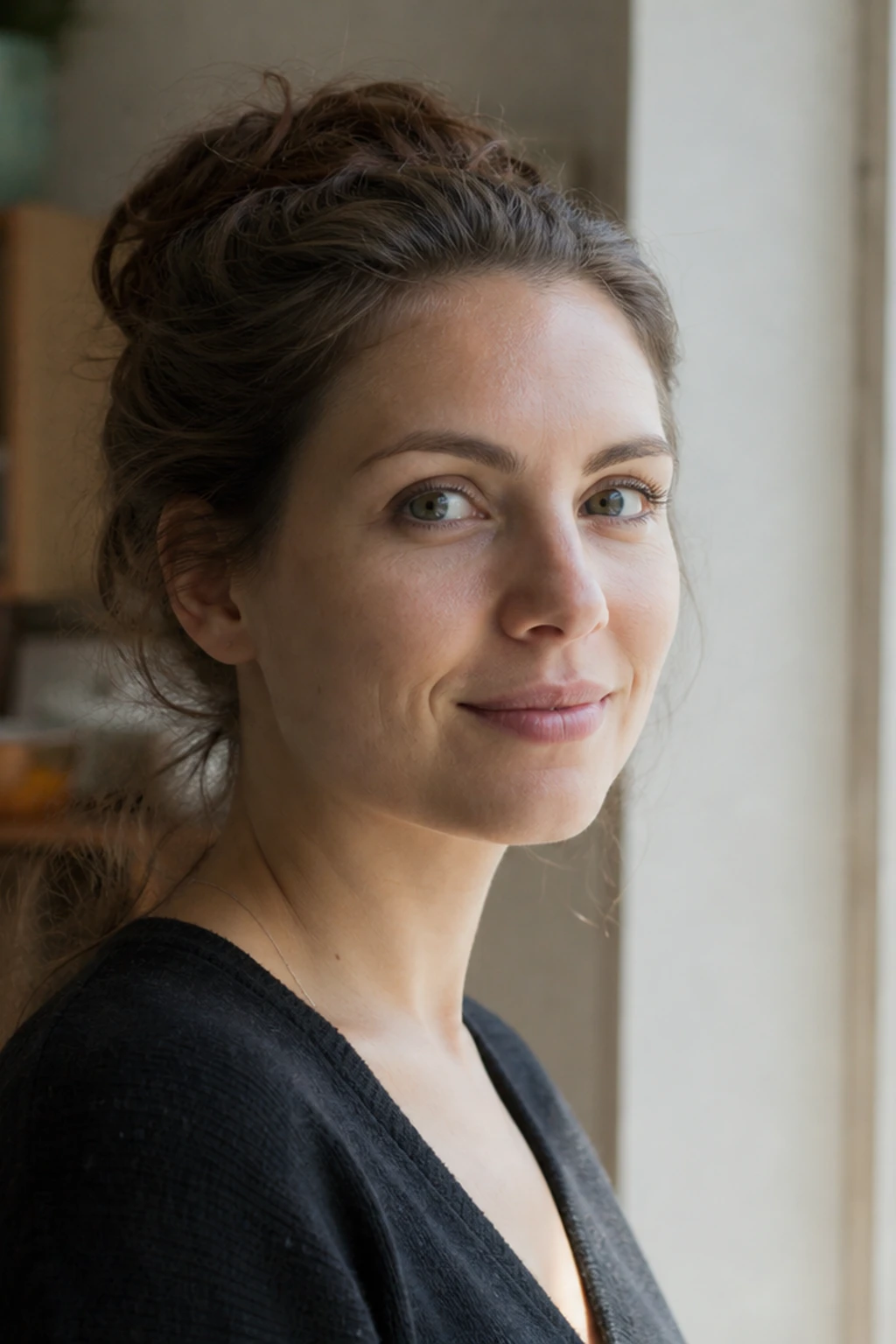
A large bi-color LED panel balances a bright daylight window in a continuous interior portrait — classic soft key against exterior exposure.

Window outside. Panel inside. One exposure.
Learning path
This setup appears in curated assignments — continue the sequence when you are ready.
- Step 10/13Cinema & continuous light
Balance window spill against a soft LED panel — interior exposure without losing motivation.
- Lights
- 2
- Contrast
- 3:1
- Catchlight
- Large soft panel rectangle
- Key position
- Window camera-right keys the face; soft panel camera-left fills the shadow cheek
- Mood
- Cinematic / Soft / Documentary
- Quality
- Soft Light / Window Light
- Subject
- Male Portrait
- Environment
- Apartment / Daylight
Mood variations

Panel Off
Kill the camera-left soft panel — only the window remains as key, so the shadow cheek (camera-left) falls darker while the window side stays lit.
Final look
Base setup
Interiors fail when the window blows out or the face falls dark. A soft panel at matched Kelvin fills the subject while you expose for both planes; the lesson is continuous balancing, not flash overpower.
Camera & framing
ISO
ISO 640
Shutter
1/50s
Aperture
f/4 – f/5.6
Exposure
Lens
85mm portrait
Camera height
Eye level
Framing
Seated three-quarter head-and-shoulders, full face in frame with comfortable headroom
Lens & framing
Key notes
- 1Window is the key camera-right — panel sits opposite (camera-left) as fill so the shadow cheek stays open while you expose for the bright glass.
- 2Set panel to 5600K when the window is daylight; dial warmer if you want mixed Kelvin on the fill side only.
- 3Meter the face first, then check zebra on the window — ND on window or slight underexposure is OK if face reads correctly.
- 4Keep shutter at 1/50s for video; adjust ISO before opening aperture if noise appears.
Gear alternatives
Same lighting job — budget, mid, and pro tools. Highlighted cells match what this setup names.
Continuous key / fill
led-panel
See the light live; shape with diffusion or barn doors
- Budget · this setup
- Small LED panel or desk lamp + diffusion
- Mid · this setup
- Bi-color LED panel
Bounce fill
reflector
Lift shadow side without a second lamp
- Mid · this setup
- 5-in-1 reflector
- Pro · this setup
- Large collapsible or frame reflector
In-frame practical
practical-lights
Motivated glow that reads in the photograph
- Budget · this setup
- Household lamp / string lights
- Mid · this setup
- Dimmable practical with warm bulb
- Pro · this setup
- Practical + hidden accent strobe/LED